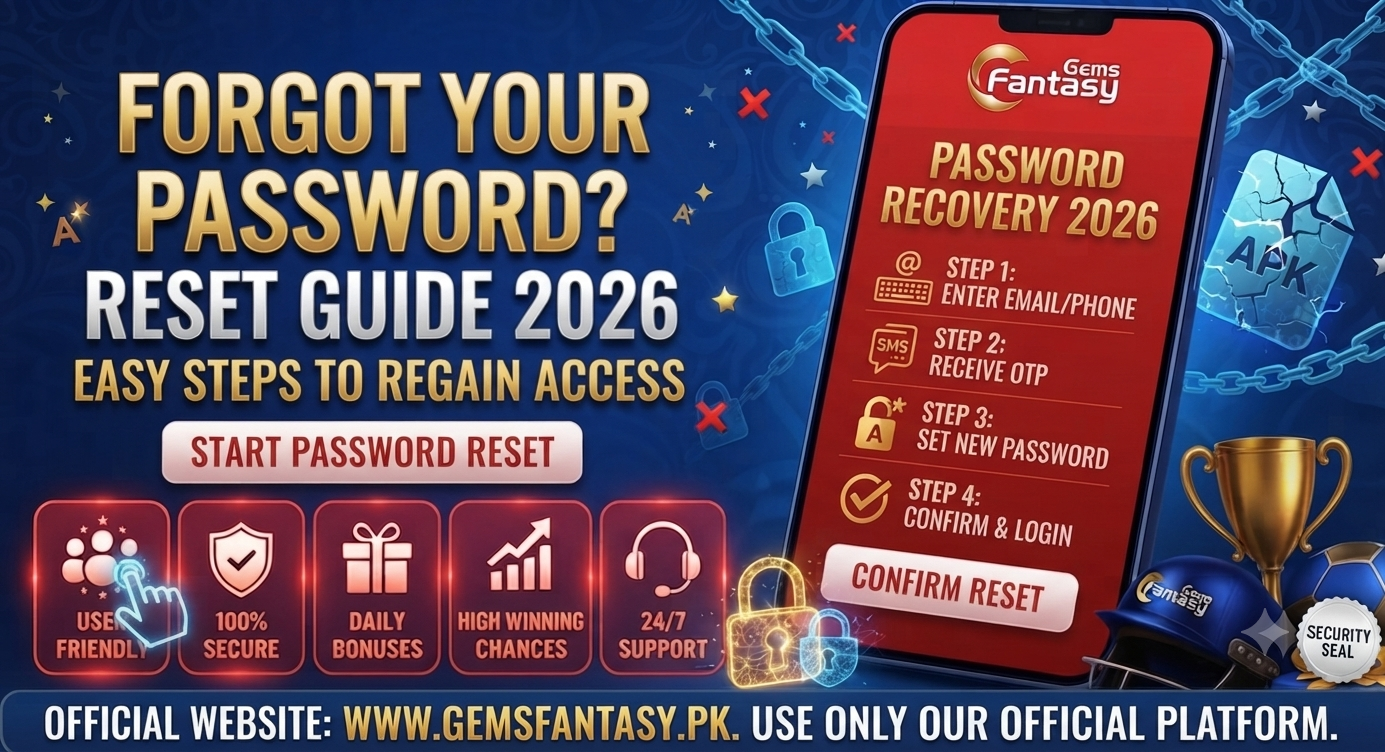
Fantasy Gems Forgot Password? Reset Guide 2026
You open Fantasy Gems to check winnings — and your password does not work. Maybe you forgot it. Maybe you changed phones. Maybe the app updated and your saved password stopped working. Searching fantasy gems forgot password means you need account access back without losing wallet balance.
Password problems feel urgent because money sits inside the app. Good news: Fantasy Gems accounts recover through OTP, reset flows, and support tickets when you follow correct steps. Bad news: scammers exploit panic — fake “password reset agents” on WhatsApp steal OTP codes and drain accounts.
This 2026 guide covers every official password recovery path for Pakistan players — reset via OTP, fix typos, unlock after failed attempts, and when to contact support with proof.
This guide uses simple language for every Pakistan player. Step-by-step instructions appear in each section below.
Before You Reset: Quick Checks
Try these before full reset — fixes 30% of “forgot password” cases:
- Caps Lock off — passwords are case-sensitive
- Extra spaces — no space before/after password when typing
- Correct phone number on login screen — wrong number = wrong account
- Old password from notes — try previous password you used at registration
- Update APK — old versions sometimes fail login after server updates
If still locked out, proceed with official reset flow.
Method 1: Reset Password via OTP (Most Common)
- Open Fantasy Gems app → Login screen
- Tap Forgot Password or Reset Password link
- Enter registered mobile number exactly as used at signup
- Tap Send OTP — wait for SMS (see our OTP fix guide if delayed)
- Enter 6-digit OTP within time limit
- Create new strong password — 8+ characters, letters + numbers
- Confirm new password in second field
- Tap Submit — login with new password immediately
- Screenshot confirmation for records
Use a password you have not used on JazzCash, email, or other apps.
Method 2: Reset via Email (If Linked)
Some accounts link email during registration:
- Tap Forgot Password on login
- Select Email recovery if available
- Enter registered email address
- Check inbox and spam for reset link or code
- Follow link instructions to set new password
- Login with phone number + new password
Email recovery only works if you registered and verified email originally.
Method 3: Contact Official Support
When OTP and email fail:
- Gather proof: registered phone number, CNIC (if KYC done), deposit screenshots, registration date estimate
- Open in-app support or official website contact channel
- Explain: cannot login, forgot password, OTP not working
- Provide phone number and transaction IDs — never send full password to anyone
- Follow support instructions — may require identity verification
- Set new password once access restored
See our customer support guide for fastest contact methods.
Account Locked After Too Many Wrong Passwords?
Platforms temporarily lock login after repeated failed attempts — fraud protection.
Fix:
- Wait 15–30 minutes without retrying
- Use Forgot Password OTP reset instead of guessing again
- Do not ask strangers to “unlock” account on WhatsApp
- Contact official support if lock persists 24+ hours
Forgot Password vs Forgot Phone Number
Different problems, different solutions:
Always register with your own SIM you control long-term.
Password Security After Recovery
Once back in your account:
- Set unique password not reused elsewhere
- Complete KYC if pending
- Verify JazzCash/Easypaisa withdrawal numbers correct
- Enable any security features in app settings
- Never share OTP or password with “agents”
- Log out on shared phones
Scam Warning: Fake Password Reset “Help”
Real support never asks for:
- Your OTP code over WhatsApp
- Easypaisa/JazzCash PIN
- Payment to “unlock account”
- Remote access to your phone
Anyone requesting these impersonates Fantasy Gems support.
Password vs OTP vs PIN: Know the Difference
Confusion between credentials causes failed recovery attempts.
Fantasy Gems support will never ask for your wallet PIN. They may ask you to verify OTP inside official app only — not via WhatsApp.
New Phone? Password Works But OTP Fails
Changed devices triggers security OTP even when password is correct.
Fix sequence:
- Enter correct password on new phone
- Wait for OTP SMS on registered SIM
- If OTP delayed — see OTP fix guide (airplane mode toggle, resend after 60 seconds)
- Ensure SIM is in same phone running Fantasy Gems if dual-SIM confusion exists
- Update to latest APK — old builds fail device-change login
Device change is not password loss — do not reset password unnecessarily if only OTP fails.
Creating a Password You Will Remember (Safely)
Pakistani users often reuse phone numbers as passwords — avoid this.
Strong memorable pattern example:
- First name + birth year + symbol → `Ali2019#` style (customize — do not copy exactly)
- Passphrase in Roman Urdu Latin letters + numbers
- Password manager app storing unique Fantasy Gems password
Write password in private notebook at home if needed — better than reusing JazzCash password on gaming app.
When Support Must Reset Password Manually
Official manual recovery may be required when:
- Registered SIM lost or permanently changed
- OTP never arrives after all fixes attempted
- Account shows “suspicious activity” lock
- Email recovery unavailable and phone inaccessible
Documents support may request:
- CNIC copy matching KYC
- Recent deposit screenshot with timestamp
- Registered phone number history explanation
- Selfie holding CNIC in some cases
Legitimate support verifies identity — they do not ask for wallet PIN or upfront fees.
Preventing Future Forgot Password Panic
After successful recovery, implement prevention:
- Save password in secure notes app with backup
- Link email during profile setup if option available
- Keep registered SIM active — do not let it expire
- Screenshot registration details in secure folder
- Update APK monthly — reduces login compatibility bugs
- Log out only on shared phones — personal phone can stay logged in safely
Five minutes of organization saves hours of recovery stress later.
Roman Urdu: Password Recovery Tips
- OTP kisi agent ko mat bhejein — sirf app ke andar enter karein
- Password reset ke liye official app use karein — WhatsApp link se nahi
- Agar SIM change hui hai to support se CNIC verify karwain
- Naya password JazzCash jaisa mat rakhein — alag hona chahiye
- Recovery ke baad screenshot le ke save karein ke kab reset hua
Yeh tips Pakistan mein common scams se bachati hain.
Password Reset on Shared Family Phone
Pakistani households sometimes share one Android device among siblings. Fantasy gems forgot password on shared phone creates confusion whose account is whose.
Best practice:
- Each person uses own phone if possible
- If sharing unavoidable, different accounts with different numbers — never same number two accounts
- Log out after session on shared device
- Do not save password in browser autofill shared profile
Reset password only on account you own via your SIM OTP.
Autofill and Password Manager Pitfalls
Chrome autofill may insert old password after you reset successfully once — causing false “reset failed” impression. Clear saved passwords for Fantasy Gems site/app in browser settings after reset.
Email Recovery Setup Guide
If Fantasy Gems offers email linking post-registration, do it immediately after first successful login — not after forgetting password. Verified email provides second recovery path when SIM temporarily unavailable traveling outside Pakistan.
Documenting Recovery for Support Tickets
When opening support for fantasy gems forgot password, attach:
- CNIC photo if requested
- Last successful login date estimate
- Last deposit TX screenshot
- Registered phone number written clearly
- Device model and app version
Structured tickets resolve faster than emotional one-line “help login” messages.
Recovery After Suspected Hack
If password stopped working without your action — possible compromise:
- Reset password immediately via OTP
- Check JazzCash/Easypaisa for unauthorized transfers
- Complete any pending security verification in-app
- Contact support reporting suspected unauthorized access
- Change passwords on email and wallet apps too
Assume OTP interception if you shared codes with anyone recently.
Teaching Elderly Relatives Password Recovery
Older family members using Fantasy Gems recreationally may struggle with OTP flows. Write step-by-step paper instructions in Urdu Roman script near phone — legitimate use case for offline help cards without sharing passwords.
Recovery Success Story Pattern
Most successful recoveries follow: calm OTP retry, cache clear, official reset, support ticket with proof — in that order. Panic downloads fake “recovery APKs” extend problems instead of solving them.
Long Password Recovery Prevention Contract With Yourself
After recovery, text yourself saved password hint (not full password) and store full password in secure app. Five minutes now prevents repeat fantasy gems forgot password search at 2 AM before important match you wanted to bet entertainment budget on — responsibly within limits.
Extended Password Recovery Scenarios Pakistan 2026
Scenario — Dual SIM confusion: OTP arrives on SIM 2 while you registered SIM 1. Insert correct SIM or select default SMS SIM in Android settings before requesting OTP again for fantasy gems forgot password recovery.
Scenario — CNIC name changed after marriage: KYC name mismatch with old registration profile complicates support recovery. Contact support with CNIC showing current legal name and marriage certificate if applicable — patience required.
Scenario — Phone stolen: Report SIM lost to carrier immediately, block SIM, contact Fantasy Gems support from email if registered explaining theft with police report reference if available — recovery path slower but possible with identity proof.
Biometric Login Future Consideration
If future Fantasy Gems versions add fingerprint login, still remember backup password — biometric sensor failure or finger injury should not lock you out without password knowledge.
Password Hint Security
If app allows password hint, never use hint revealing full password or JazzCash PIN pattern. Obscure hint only you understand.
Shared Password Manager Family Plan
Family password managers let each member store separate Fantasy Gems password securely — better than messaging passwords on WhatsApp family group where forwarded indefinitely.
Recovery During Load Shedding
Pakistan load shedding kills WiFi router during OTP reset — mobile data backup ensures OTP SMS still received if phone charged. Keep power bank charged for gaming cities with frequent outages.
Avoid Recovery Scams After Posting Facebook
Posting publicly “locked out Fantasy Gems help” attracts scammers DMing fake recovery links. Seek help only official support channels or trusted friend in person not public comment strangers.
Password Rotation Policy
Rotate password every 6 months if platform supports without friction — reduces long-term exposure if password leaked in unrelated site breach reused mistakenly.
Document Recovery Success
After successful fantasy gems forgot password recovery, note date and method worked in secure note — next time you know exact path without panic Googling random outdated forum threads.
Support Response Time Expectations
Support may respond 2-24 hours depending volume — one follow-up ticket after 24 hours acceptable; ten tickets in 2 hours counterproductive flagged spam.
Legal Name vs Nickname in Profile
Use legal-adjacent real name matching CNIC in profile fields even if nickname display exists — reduces KYC friction later during first withdrawal after password recovery success.
Closing Extended Password Section
Password recovery stressful because money feels visible yet inaccessible temporarily. Official OTP path works majority cases when SIM controlled and APK official. Scammers exploit stress — breathe, follow steps, reject shortcuts costing more than waiting.
Keyboard Language Switch Errors
Urdu keyboard active accidentally inserts wrong characters password field failing login repeatedly mistaken forgot password — switch English keyboard verify before full reset.
Clipboard Password Paste Risk
Pasting password from notes app may include trailing space invisible — type manually once verify if paste fails mysteriously.
Elderly User Support Patience
Help parents recover password in person without impatience — shame reduces asking help next time leading bigger problems hidden until large balance stuck.
Recovery After App Reinstall
Reinstall official app still requires password plus OTP — reinstall alone not recovery magic bullet without credential knowledge.
Two-Factor Future Preparation
If SMS 2FA added platform-wide, ensure SIM long-term stable before enabling — SIM loss complicates recovery unless backup codes saved offline secure location.
Password Recovery Timeline Expectations
Most fantasy gems forgot password resets complete within five to fifteen minutes when OTP arrives normally and you use official app only. Support tickets add six to forty-eight hours depending queue volume — Friday nights and Eid holidays slow responses nationwide. If balance visible but login blocked, do not panic-deposit on clone app while waiting; scammers target exactly that emotional window.
Write new password on paper once, then type into app manually. Store paper in drawer at home, not wallet carried daily. Change password again if you ever typed it on shared office computer or friend phone during emergency login help. Recovery success rate stays high for users who registered with personal SIM and completed KYC early — those two choices matter more than any hack video promising instant unlock without OTP.
Save support ticket number screenshot if OTP reset fails twice — reference number speeds human review when automated SMS gateway glitches during storm season or festival traffic spikes across Pakistan mobile networks.
Complete Password Reset Checklist for Pakistan
Before tapping Forgot Password, confirm you opened official Fantasy Gems APK from fantasygams.com download path — clone apps fake reset screens steal credentials. Insert registered SIM in phone slot used during signup. Disable airplane mode, enable mobile data, close battery saver restricting background SMS. Open login screen, tap Forgot Password, type phone number exactly as registered including leading zero if you saved that way internally.
Wait full sixty seconds before second OTP request.
Rapid resend triggers carrier throttling on Jazz and Ufone lines common in Punjab. Enter OTP within validity window; expired OTP requires fresh request. Choose new password eight plus characters mixing letters and numbers avoid birthdates. Log in once, log out, log in again confirming memory before closing app.
If OTP never arrives after two attempts, read our OTP fix guide
Restart phone, try again morning hours. Still failing, open support with CNIC photo, SIM ownership proof, last successful login date, screenshot of error. Fantasy gems forgot password recovery fails mainly when number changed without support update or account registered on friend SIM — fix ownership documentation before expecting reset.
After recovery, enable screen lock on phone, remove password from cloud notes, tell family not to borrow phone logged into wallet session. Optional: set calendar reminder every ninety days to update password — habit reduces reuse across multiple apps that increases breach risk if one app leaks database.
Final Notes for Pakistan Players (2026 Extended)
Players in Lahore, Karachi, Rawalpindi, Faisalabad, Multan, Peshawar, and Quetta face similar internet and wallet infrastructure when using Fantasy Gems daily. Peak hours after 7 PM PKT often show slower payment processing — plan deposits and updates during morning hours when possible. Load shedding interrupts WiFi routers; keep mobile data enabled as backup during password resets and OTP verification. Jazz and Zong networks generally deliver OTP SMS reliably in urban centers; rural areas may need airplane mode toggle or short outdoor signal check before blaming platform.
Always screenshot wallet balance before updates, withdrawals,
large deposits. Maintain separate JazzCash or Easypaisa wallet for gaming entertainment budget if discipline helps — transfer fixed monthly amount once, play only from that sub-balance. Never borrow money to deposit. Never share OTP with WhatsApp agents claiming official support. Download APK only from official website linked via fantasygams.com guides.
Complete KYC early with CNIC matching wallet account name exactly.
Test PKR 500 withdrawal after first PKR 300 deposit before scaling activity. Read bonus wagering terms before assuming entire balance withdrawable. Clear app cache monthly. Update to latest official APK when announced. Report fake APK links in groups instead of forwarding them.
If problems persist after following every official step, contact in-app support with registered phone number, transaction screenshots, and app version visible in screenshot. One structured ticket beats ten angry one-line messages. Support teams handle thousands of Pakistan users — precise facts speed resolution for everyone.
Responsible gaming means treating Fantasy Gems as paid entertainment within affordable PKR limits — not salary replacement or guaranteed income scheme. Walk away when session budget finished regardless of “one more spin” feeling. Discipline protects mental health and household finances long-term more than any single winning session.
Share official safety guides with friends learning platform
community education reduces scam victims collectively. Pakistan online gaming space grows rapidly in 2026; official download discipline separates safe players from daily scam statistics.
Bookmark fantasygams.com for register, deposit, withdrawal, KYC, OTP, JazzCash, Easypaisa, and safety guides updated for Pakistani users. Return when new questions arise instead of trusting random Telegram forward chains during excitement moments.
Your account security equals JazzCash PIN security equals CNIC privacy
guard all three consistently. Fantasy Gems works for verified users following rules; frustration usually traces to fixable details wrong wallet digit, pending KYC, old APK, or unofficial download source — verify those four before concluding platform fake.
Stay safe, play responsibly, verify everything yourself, and keep official source bookmarked on phone home screen labeled clearly for next month update check habit building long-term protection.

Fantasy Gems Forgot Password: Recovery Steps
This section covers essential details about fantasy gems forgot password that every Pakistan player should know on Fantasy Gems in 2026.
Helpful Login Guides
Recover fantasy gems forgot password access with our login problem fix, OTP fix guide, and customer support guide.
Frequently Asked Questions
How do I reset Fantasy Gems password in Pakistan?
Tap Forgot Password on login, enter registered number, verify OTP, set new password.
I forgot password and OTP not coming?
See OTP fix guide — check SIM, network, airplane mode toggle, resend after 60 seconds.
Will I lose balance resetting password?
No — password reset does not delete wallet balance linked to your account.
Can support reset password for me?
Support verifies identity and guides recovery — they should not ask for your OTP.
How many wrong attempts before lockout?
Varies — typically several failures trigger temporary lock. Use OTP reset instead of guessing.
Should I uninstall app to fix password?
Usually no — uninstall rarely fixes password issues. Use Forgot Password flow first.
Final Summary
Fantasy gems forgot password recovery works through official OTP reset, email recovery if linked, or verified support tickets. Never share OTP with third parties, use unique new passwords, and register only with SIMs you control. Password loss is fixable — wallet balance stays safe when you follow official channels only.